
PixExtender - AI Image Extender & Image Enlarger: AI Expand Image Up to 4096px
Unlock the power to AI expand image boundaries effortlessly. PixExtender is a professional AI image extender and generative image enlarger that lets you outpaint photos to custom sizes without quality loss. Try it free here!
Supported JPG, JPEG, PNG, WEBP
Transparent background images are not supported
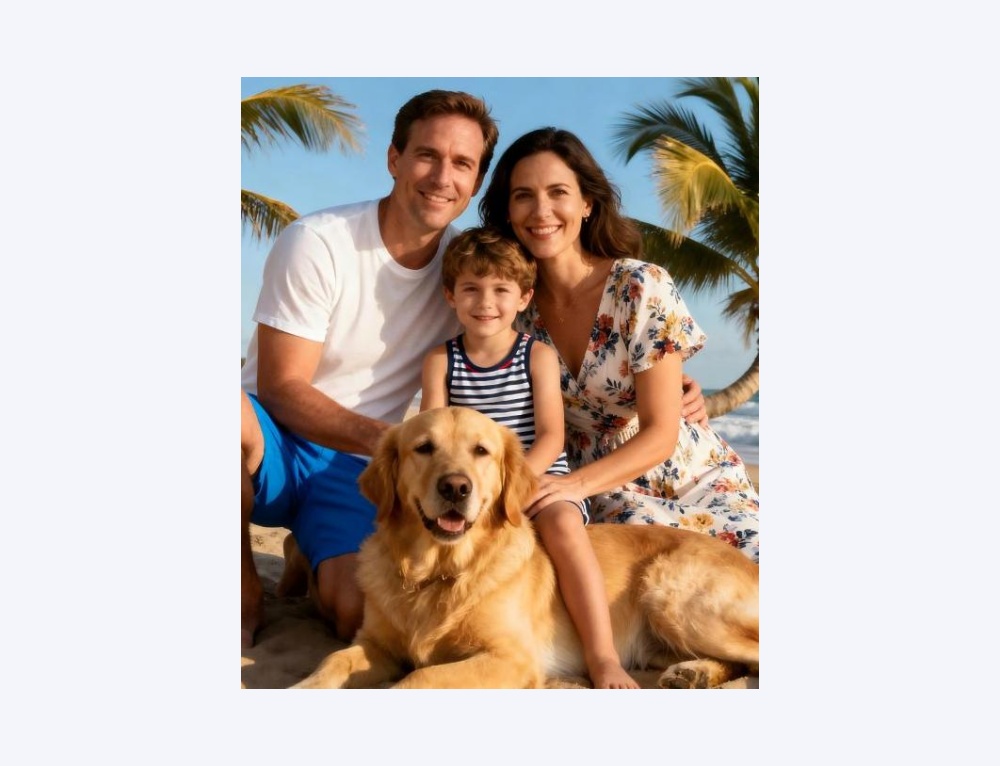

More AI Image Extenders


Why Choose PixExtender AI Image Extender?
Seamless AI Image Expander Technology
Our AI image extender uses context-aware technology to analyze lighting and texture. Unlike a traditional image enlarger that just stretches pixels, our AI image expander naturally fills gaps, delivering uncropped visuals that look 100% authentic.
AI Expand Image to 4K Resolution
AI expand image canvases up to 4096x4096 px with pixel-perfect clarity. As a high-definition AI image extender, it ensures that whether you need a 9:16 story or 16:9 header, you get a perfect fit for print and web.
Efficient Batch AI Image Expander
Scale your workflow. PixExtender is the only AI image extender that lets you process 20 images at once. Use this batch image enlarger feature to apply consistent ratios to product catalogs in seconds.
Effortlessly Expand Images with AI
No design skills required. Simply upload, select your ratio or custom size, and click to start the expand image AI process. Our intuitive interface ensures anyone can uncrop photos and generate stunning backgrounds in minutes, with no training needed.
Professional AI Image Extension Tools
Transform your images with intelligent uncrop tool. From social media presets to e-commerce optimization, extend photos while preserving composition and quality.
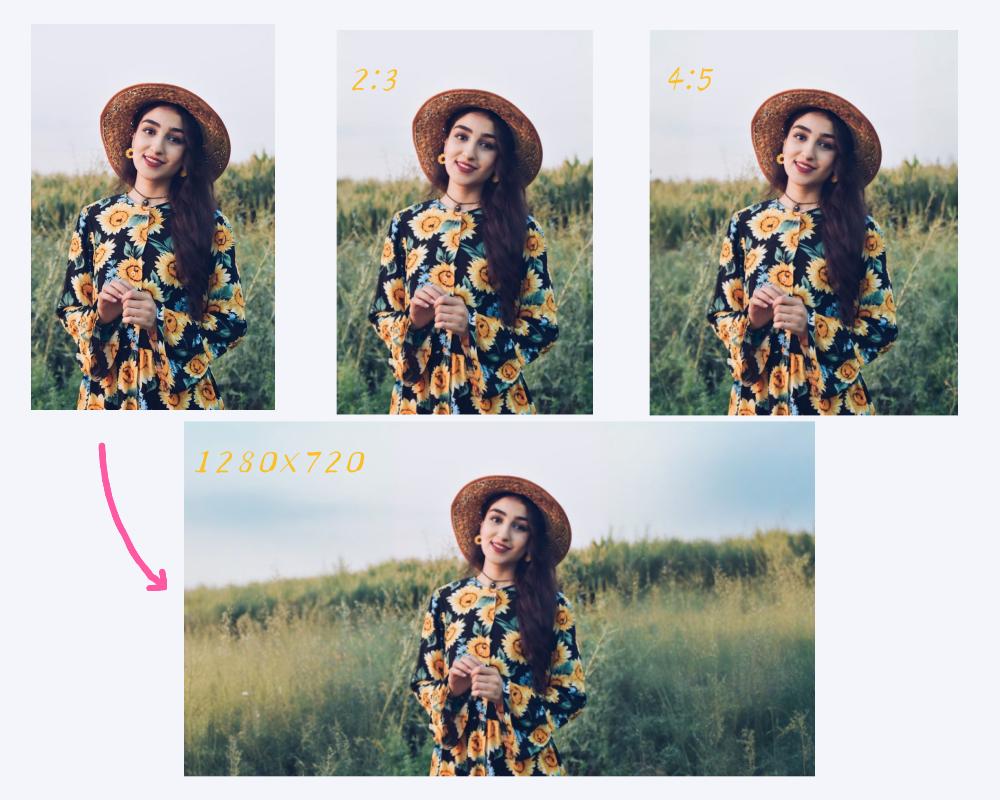
Uncrop with Platform Ratio Presets (4:5 / 2:3 / 1280x720)
One-click adaptation for Instagram 4:5, Pinterest 2:3, and YouTube 1280x720. Never get cropped by platform centering again - uncrop images seamlessly to fit every social feed.
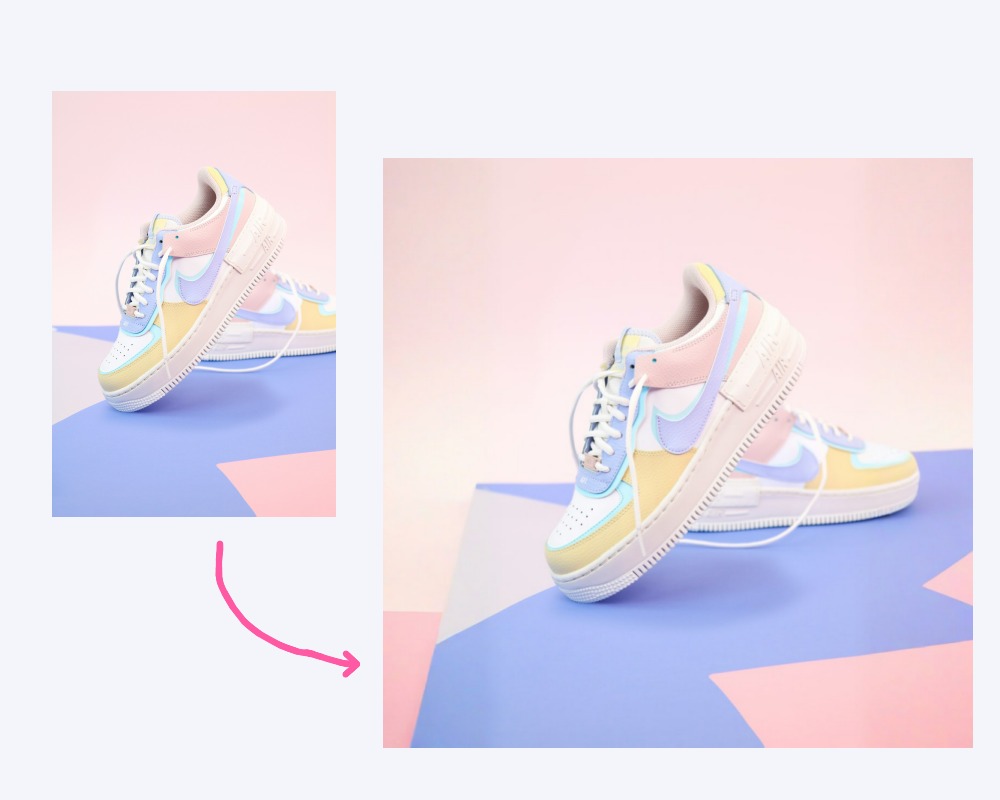
Expand Images for E-commerce Safe Border Extension
AI-powered background extension safeguards your SKUs: Edges, logos, and price text stay intact with no truncation. Batch process entire product sets for consistent outputs. Perfect for expand image needs without altering key details.
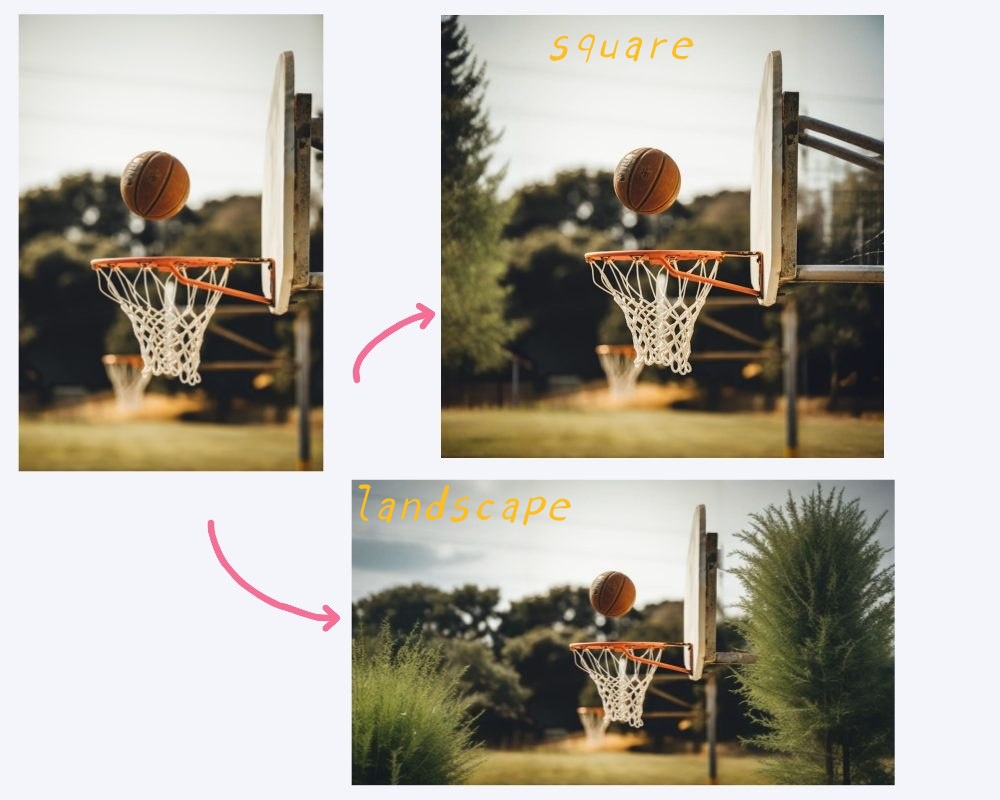
Outpaint Image in Photography Composition Extension
Extend photos without shifting the subject: Outpaint image to fill space naturally. Matches lighting, textures, and depth of field. Ideal for skies, trees, interiors - achieve pro-level compositions.
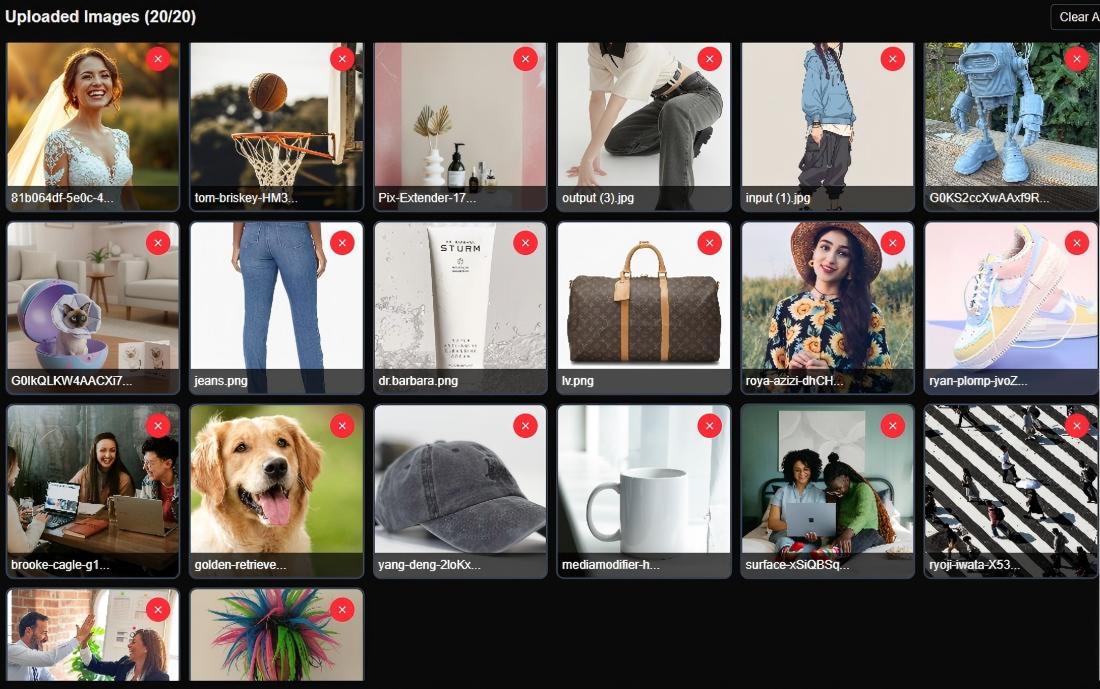
Batch Outpainting for Image Consistency
Up to 20 images at once. Pre-select ratios and parameters for batch outpainting. Run your entire asset library in one go - consistent results every time.
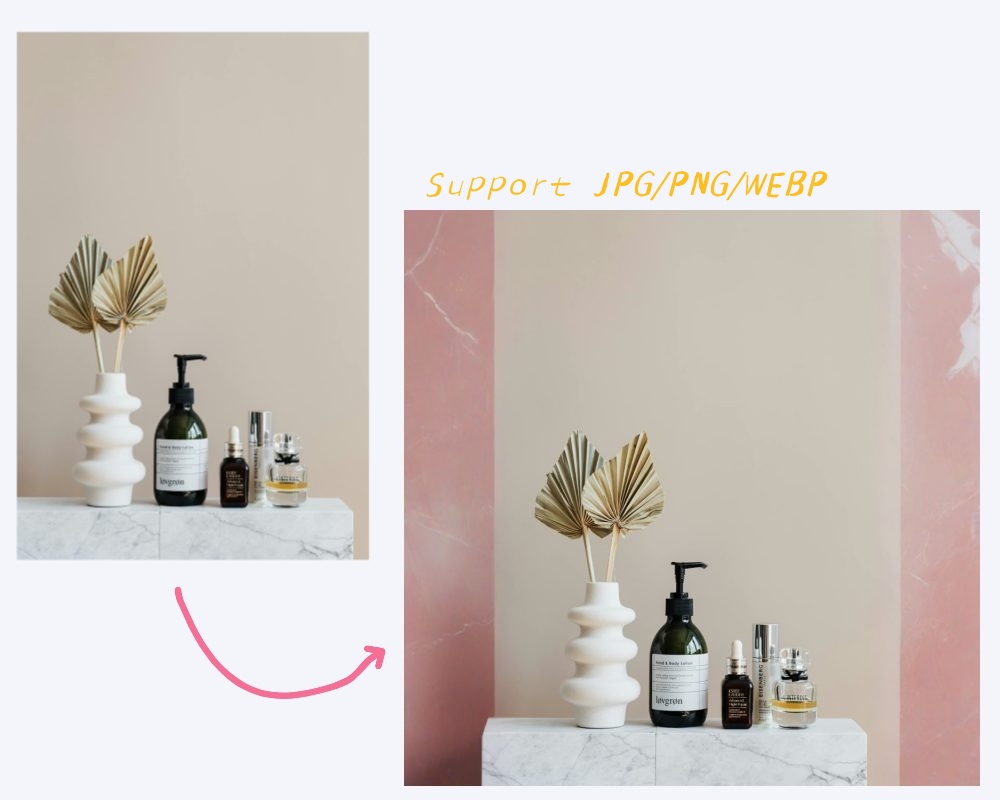
Extend Photo Borders in Export Formats & Specs
Seamless integration: Export in JPG, PNG, WEBP. Ready-to-use sizes for CMS, ad platforms, and design workflows. Extend photo borders directly into your pipeline.
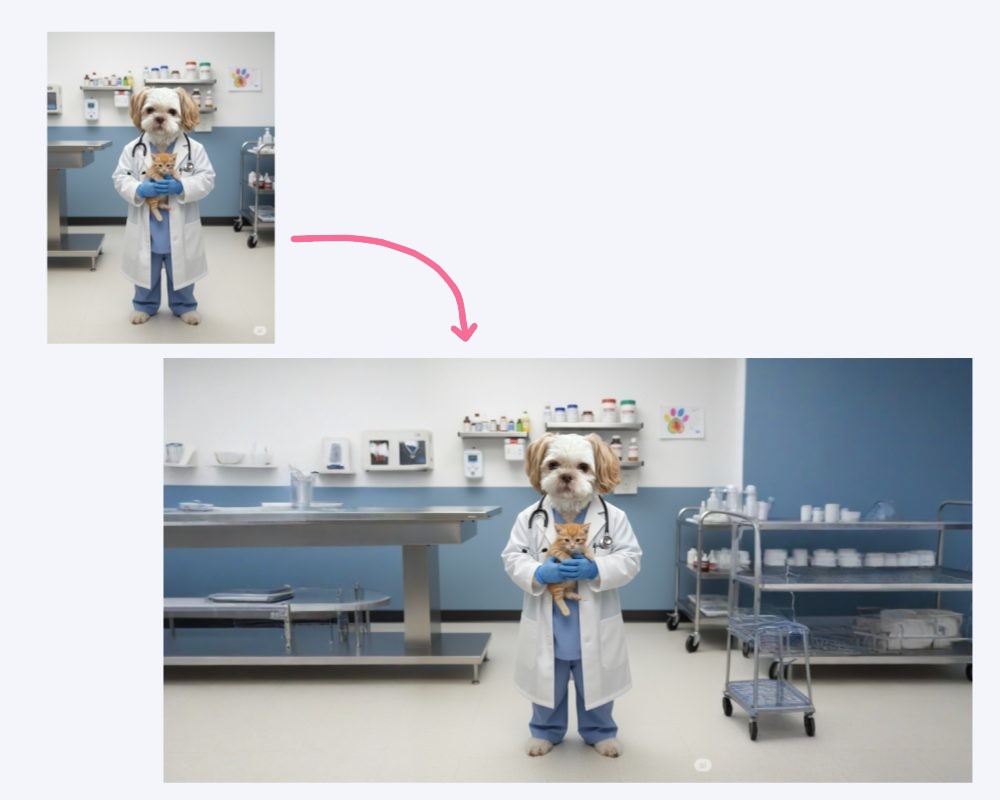
AI Image Extender for Content-Aware Uncrop
Preserve composition with smart AI Image Extender: No subject cropping - intelligent border extension. Outpaint image for flawless expansions.
How to use AI Image Extender
Upload Image
Drag and drop any image into our online image extender
Expand Image
Choose a preset aspect ratio or custom size and click 'Extend Image'
Download Image
Download your expanded image with perfect quality
Expand Images for Every Platform
Perfect for social media, e-commerce, photography, and creative content
Social Media Optimization
Expand image dimensions for Instagram, Facebook, LinkedIn
E-commerce Enhancement
Use our AI to expand product images seamlessly
Photography Restoration
Uncrop and expand images that were accidentally cropped
Content Creation
Easily expand backgrounds with AI for anime art, cartoons, and designs
Pricing for PixExtender
New users get free credits to start!
Basic
$8.3/month
$9.9/month
$99/year billed yearly
- 2400 Credits renew yearly
- Up to 1200 images
- Max resolution 2000x2000
- Batch processing
- No watermark
- Commercial license
- Email support
Creator
$20.8/month
$24.9/month
$249/year billed yearly
- 6600 Credits renew yearly
- Up to 3300 images
- Max resolution 3000x3000
- Batch processing
- No watermark
- Commercial license
- Priority support
Master
$41.6/month
$49.9/month
$499/year billed yearly
- 14400 Credits renew yearly
- Up to 7200 images
- Max resolution 4096x4096
- Batch processing
- No watermark
- Commercial license
- Priority support
Frequently Asked Questions
What is AI image extender?
An AI image extender is an online tool that uses advanced generative AI to effortlessly AI expand image borders beyond their original limits. It functions as a smart image enlarger, uncropping images and adjusting aspect ratios without losing quality.
How does an AI image expander work?
An AI image expander analyzes the edges of your photo and generates new pixels that match the style and lighting. It works like a combination of an AI image extender and a creative image enlarger, allowing you to seamlessly enlarge visuals beyond original dimensions.
How to use AI image extender?
To use our AI image extender, upload your image or photo, choose how you want to expand images online (such as aspect ratio or canvas size), and let AI handle the rest. In seconds, the AI image extender resizes and expands your images without losing quality.
What image formats does PixExtender support?
PixExtender supports JPG, PNG, and WEBP formats for both input and output, but transparent background images are not supported.
Is your AI image extender free?
Yes! Our AI image extender offers free credits. Simply sign up for a free account, and you'll instantly receive complimentary credits to start extending and uncropping your images.
Will AI image extension affect image quality?
No, PixExtender keeps images sharp and high-resolution without quality loss. Results may look unnatural only with extreme aspect ratio changes or when adding large new body parts/surroundings to people in the image. For best results, use moderate extensions.
Can I control the extension area or customize the output?
Yes, you can usually control the extension area and customize the output. You choose the aspect ratio or target size, and PixExtender extends the image in those directions while keeping the original content intact and looking natural.
Does PixExtender support batch image extension?
Yes! PixExtender supports batch image extension for Creator plan and above. You can upload and extend up to 20 images at once, saving you time when processing multiple photos.
Can I resize images to custom dimensions using the AI Image Extender?
Yes! With PixExtender AI Image Extender, you can set custom dimensions before extension (up to 4096px).
Is PixExtender an image enlarger?
Yes, but it's smarter. While a standard image enlarger simply scales up existing pixels (often causing blur), PixExtender uses AI to 'paint' new details, effectively allowing you to AI expand image size while adding realistic background content.
What are common failure reasons and retry suggestions?
Common issues include: 1) Transparent background images are not supported and will fail - please use images with opaque backgrounds; 2) Inappropriate content (adult, violent, or harmful images) - please use appropriate, professional images; 3) Extreme aspect ratio changes - avoid compressing very tall images to very wide formats or vice versa. For best results, use moderate expansions or smaller ratio changes to maintain image quality and natural appearance.
Seamlessly Expand Your Images with AI
Resize your images boundaries, uncrop photos, and create perfect aspect ratios. Try for free now!